Online store connections
Your Shopify store linked to the carriers, stock and systems behind it, so orders and information move on their own.
Software integrations
When orders, stock or invoices get re-typed from one system into another, a connection can do it instead. We check what each tool can actually do before we promise anything, and we’ll tell you when an off-the-shelf app already does the job.
Free, in writing Scope and price agreed first Reply within 1 business day
When someone copies orders from one system into another, two systems disagree about what’s in stock, or customers phone to ask something your site could show them, a connection between your tools can do that work instead, without the typos.
A small piece of software that moves information between your tools, tested against real data and built to fail safely. You get the code and plain-English notes on how it works, so anyone you choose can take it over later.
What we do
Your Shopify store linked to the carriers, stock and systems behind it, so orders and information move on their own.
Real parcel and freight prices at checkout, straight from your carrier, including carts that mix both.
Card payments through your own Stripe account, so the money goes straight to you.
An existing product or customer list brought into a new system, and information kept in step wherever it’s used.
Not sure which one you need?That’s what the free workflow review is for. Tell us what’s getting in the way and we’ll point you in the right direction, even if it isn’t us.
Get a free workflow reviewRecent work
A client’s Shopify store connected to Purolator, and two apps of our own that are live today.
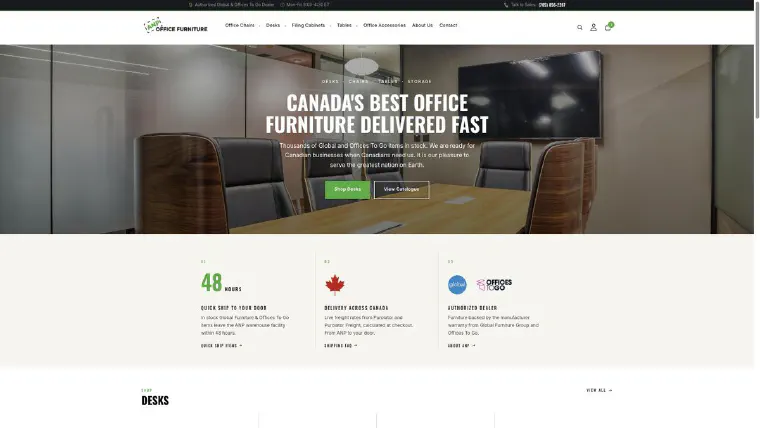
One cart can hold a chair that ships by parcel and a desk that ships by freight. Each product goes to the right Purolator service, and anything missing its shipping class quotes as freight, so nothing ships under-quoted.
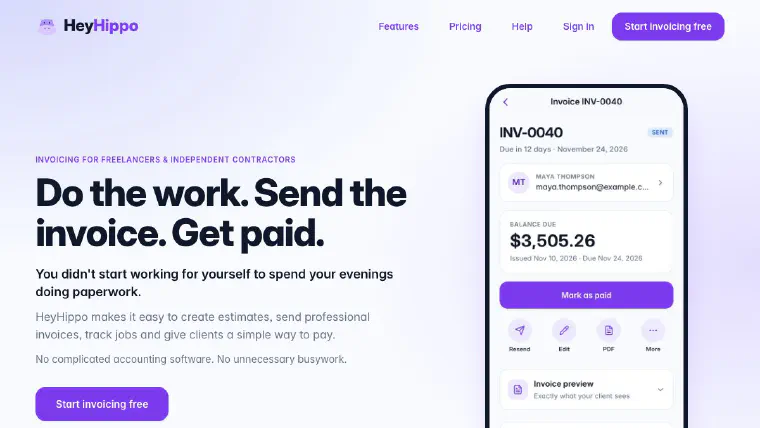
Our own invoicing app: card payments through each business’s own Stripe account, and one account shared across web, iPhone and iPad.
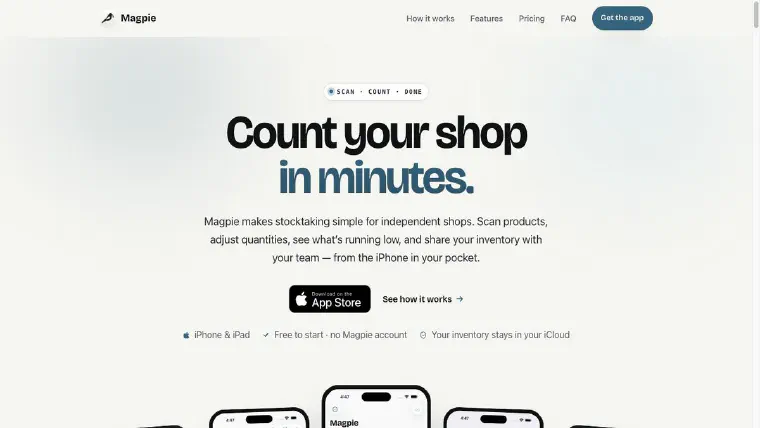
Our own stocktaking app: a shop’s existing product list comes in by CSV import, then counts are done by scanning barcodes.
Jason and the team at Bunker41 designed our commercial furniture webstore to help us penetrate the competitive GTA market. The site they designed is better than any competitors’ in the market. It is fast, sophisticated, and visually appealing with the advanced functionality you need in today’s market. We are beyond satisfied!
How it works
Tell us which tools you use and what has to move between them. We reply in writing with what we’d do and roughly what size of project it is.
Well-defined projects get a written scope and a fixed price. If the requirements need investigating, paid discovery (from $1,500) produces a specification and a fixed build quote. You keep the documents, and the fee is credited if you go ahead.
We build and test the riskiest connection before anything else, against test data and then your real data, so surprises show up early, not at launch.
Launch, handover notes and the code, then 60 days of support.
Timelines are set in your proposal, once the scope is clear.
Questions
If yours isn’t here, just ask. There are no silly questions.
Ask us anythingThen we’ll tell you. Plenty of common connections already have an app for a monthly fee, and that’s often the right answer. Custom work makes sense when the apps don’t fit how your business works, or would cost more over time than building the connection once.
It depends on the tools involved and what has to move between them. Custom software starts at $10,000 plus applicable taxes. Well-defined projects get a fixed quote after the free workflow review; when the requirements need investigating first, paid discovery starts at $1,500 and is credited if you go ahead. Any hosting or subscription costs are set out in your proposal.
You do. You receive the custom code and handover notes, and any accounts it needs are set up in your name. The tools it connects keep their own licences and subscription terms.
Software companies update their systems from time to time, so we build connections to fail safely and explain how to spot a problem. ANP’s, for example, quotes freight when it isn’t sure, rather than under-quoting. Custom builds include 60 days of support, and help after that is available if you want it.
Sometimes. A connection that runs on its own needs somewhere to run: ANP’s runs on a small dedicated server with a fixed IP address. If yours needs one, the cost is in your proposal.
No. Email works from the first message to launch day. If you’d rather talk something through, you can book a call, but it’s never required.
Let’s talk
Send a few sentences about the problem or the project. We’ll reply within one business day, and a workflow review comes back in writing within two. No obligation, and no call needed unless you want one.
A few sentences is plenty.
We’ll reply within one business day. If you asked for a workflow review, it’ll arrive in writing within two. If it’s urgent, email sales@bunker41.ca.
Book a free 30-minute call instead. You don’t need a plan or a technical brief.
What we’ll cover
Afterwards: clear projects get a written proposal with the scope, timeline and fixed price. If the requirements need investigating first, that starts with paid discovery, credited if you go ahead.
You’ll be talking to your developerNot a salesperson or an account manager
Pick a timeRather email? sales@bunker41.ca